Now on the App Store
Track Your
Peptide Stack
Log doses in seconds, monitor active cycles, get low-supply alerts, and never run out mid-cycle again.
Download on the App Store
Log doses in seconds, monitor active cycles, get low-supply alerts, and never run out mid-cycle again.
Download on the App Store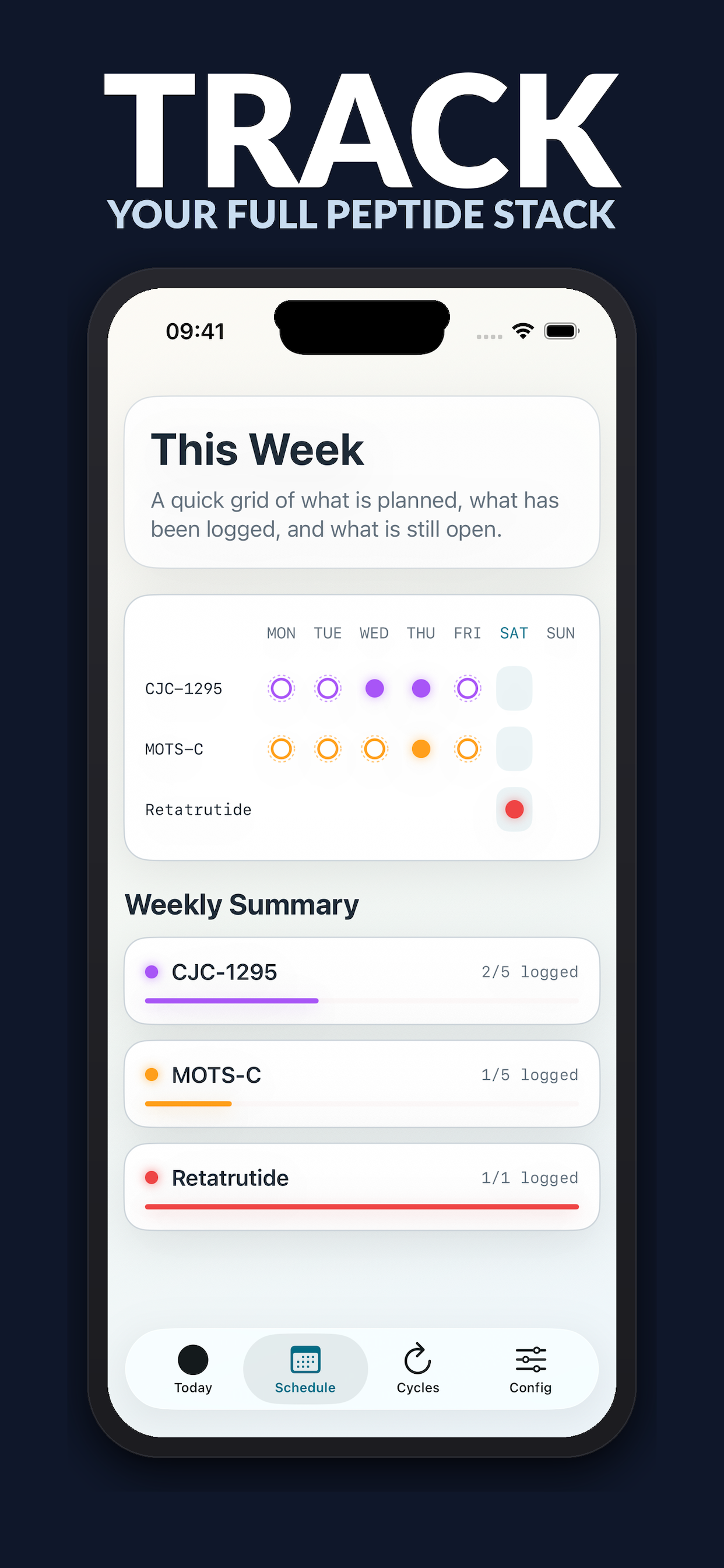
Features
Built for precision — from your morning dose to your next off-period.
See every peptide in your protocol at a glance. A weekly grid shows what's planned, logged, and still open.
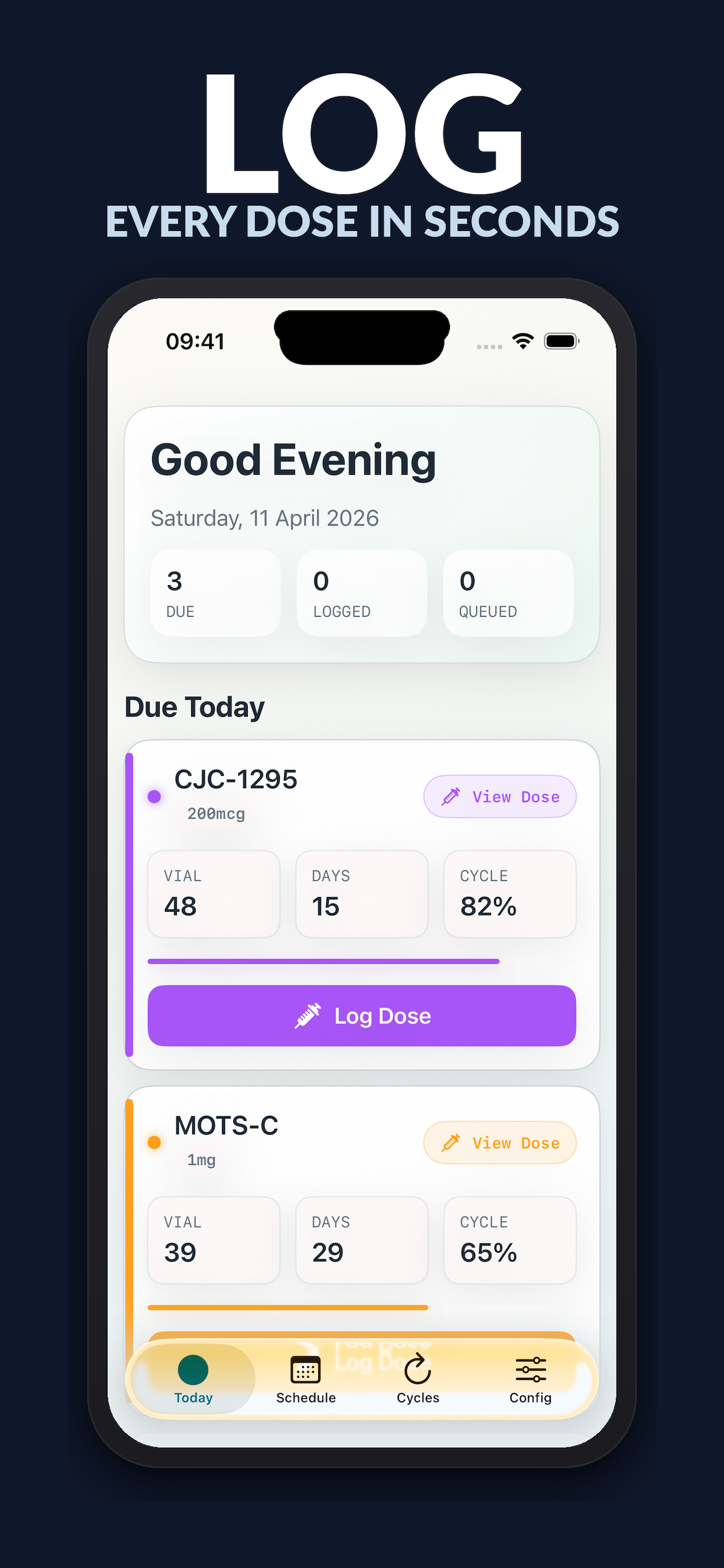
Log any dose in seconds. Each entry records the dose, vial count, and cycle position automatically.
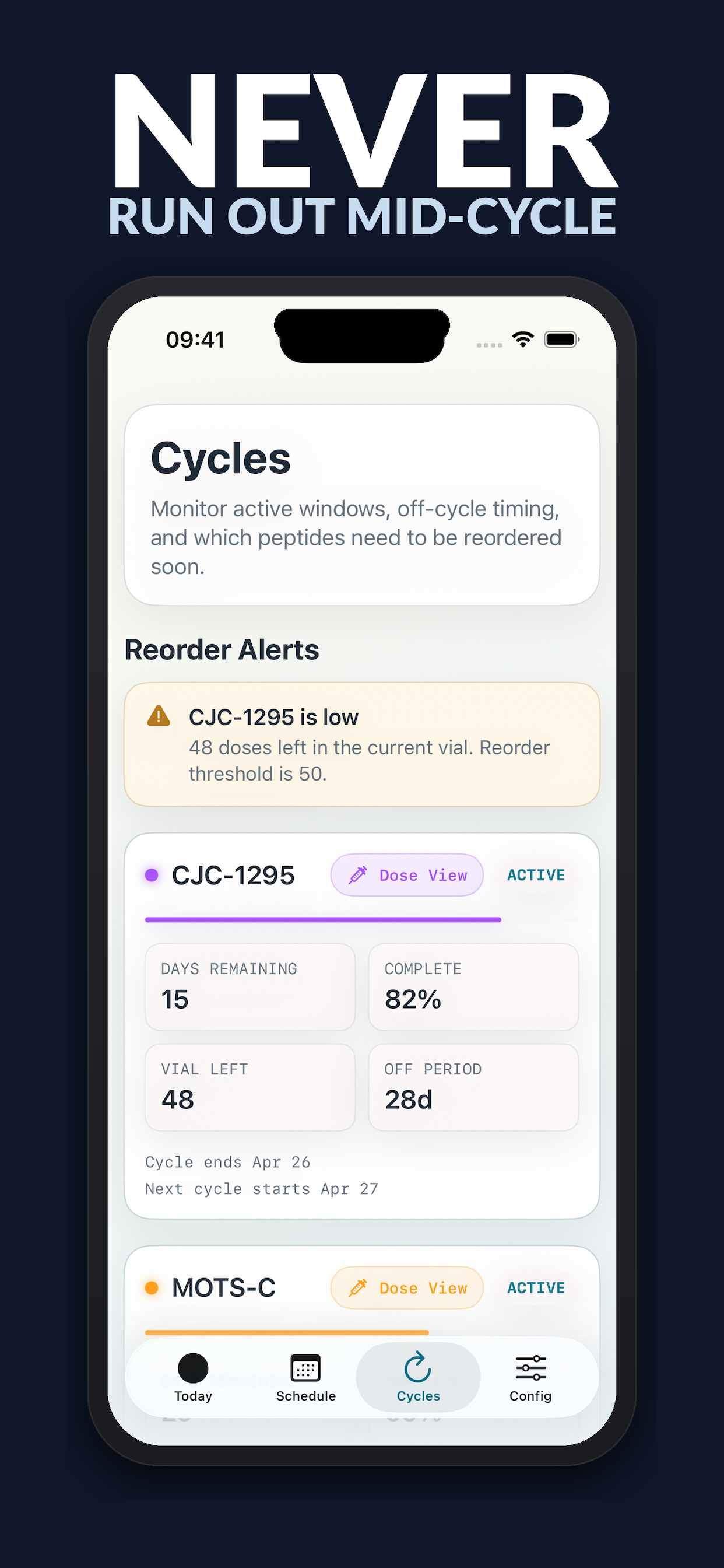
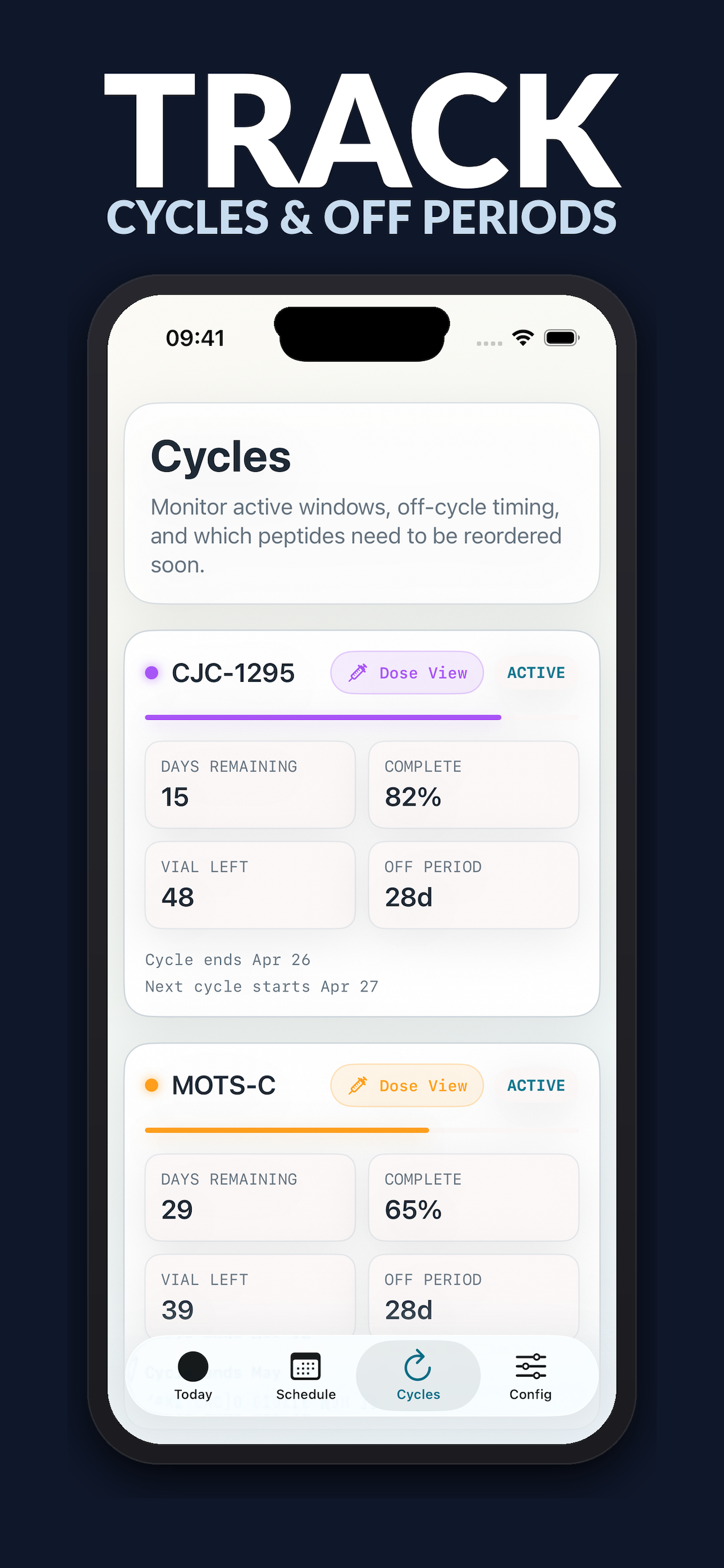
Monitor active windows, off-cycle timing, and completion percentage for every peptide in your stack.
Get notified when a vial runs low so you can reorder before you run out — no mid-cycle gaps.
Support
Find answers to common questions below, or reach out directly.
Tap the Config tab, then Add Peptide. Enter the name, dose, frequency, and vial size — it will appear on your Today and Schedule views immediately.
On the Today tab, find the peptide that's due and tap Log Dose. Peptyd records the time, dose amount, and current vial count automatically.
A cycle is an active period of use followed by an off period. Set cycle lengths in Config and Peptyd will track days remaining, completion percentage, and when the next cycle starts.
In Config, set a low-supply threshold for each peptide (e.g. 50 doses remaining). When your vial count drops below that threshold, a warning appears on the Cycles screen.
Yes. All data is stored locally on your device and never transmitted to external servers. Your protocol is yours alone.
Peptyd stores data through iCloud if you have iCloud backup enabled on your device. A full manual export feature is on the roadmap.
Send us a message and we'll get back to you as soon as possible.
✉ support@peptyd.app